Last updated: 13 January 2026
Help Documentation
Main Operator Documentation
Conditional Operators
Conditional Operators are "gates" that allow or prevent the logic flow to continue through the current branch. If a conditional returns 'true' for a path, the logic for that branch continues. If the conditional is 'false', then the logic for that branch is stopped. If the condition is true, in the History Tab on testing, the status will read Success, else it will be Success - Condition(s) Not Passed. The Reason for success or failure is provided under Explanation.
Data Types Evaluated by Conditional Operators
Conditional Operators compare the following based on predefined logical and mathematical criteria:
Date
Conditional Operators allow logical evaluations based on date values, making them useful for automation and validation.
Comparisons on date made by Conditional Operators:
Date Is After
This operator checks if the given date is later than the specified reference date. It returns true if the value in the Date field is after the reference date, and false otherwise.

Input Fields:
- Default Configuration: This picklist field enables to choose a default configuration. This will automatically populate all fields for that operator with default configuration values wherever available.
- Date: This date is compared to the reference date (Date Is After).
- Date Is After: This is the reference date to which that value of the above Date field is compare to.
Output Fields:
- Date: The Date which is compared to reference date (Date Is After).
- Date Is After: The reference date to which comparison is made.
Date Is Before
This operator checks if the given date is earlier than a specified reference date. It returns true if the value in the Date field is before the reference date, and false otherwise.

Input Fields:
- Default Configuration: This picklist field enables to choose a default configuration. This will automatically populate all fields for that operator with default configuration values wherever available.
- Date: This date is compared to the reference date (Date Is Before).
- Date Is Before: This is the reference date to which that value of the above Date field is compare to.
Output Fields:
- Date: The Date which is compared to reference date (Date Is Before).
- Date Is Before: The reference date to which comparison is made.
Date Is Between
This operator checks if the given date falls within the specified range defined by two reference dates. It returns true if the specified date falls within the range or exactly matches the Start Date and End Date; and false otherwise.

Input Fields:
- Default Configuration: This picklist field enables to choose a default configuration. This will automatically populate all fields for that operator with default configuration values wherever available.
- Date: This date is compared to the reference range.
- Start Date: The start date of the range.
- End Date: The end date of the range.
Output Fields:
- Date: The date which is compared to reference date range.
- Start Date: The start date of the range.
- End Date: The end date of the range
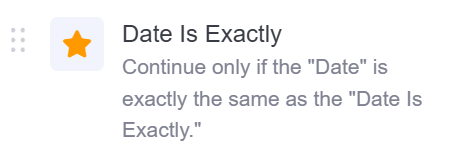
Date Is Exactly
This operator checks if the given date is exactly same as the reference date. If returns true if the specified date is exactly same as the reference date, else returns false.
Input Fields:
- Default Configuration: This picklist field enables to choose a default configuration. This will automatically populate all fields for that operator with default configuration values wherever available.
- Date: This date is compared to the reference date.
- Date Is Exactly: This is the reference date to which that value of the above Date field is compared to.
Output Fields:
- Date: The date which is compared to reference date (Date Is Exactly).
- Date Is Exactly: The reference date to which comparison is made.
Date Is Not Between
This operator checks if the given date falls outside a specified range defined by two reference dates. It returns true if the specified date falls outside the range; otherwise, it returns false, including when the date is the same as the Start Date or End Date.

Input Fields:
- Default Configuration: This picklist field enables to choose a default configuration. This will automatically populate all fields for that operator with default configuration values wherever available.
- Date: The date to find out whether it is outside the range.
- Start Date: The start date of the range.
- End Date: The end date of the range.
Output Fields:
- Date: The date which is compared to reference date range.
- Start Date: The start date of the range.
- End Date: The end date of the range
Number
Conditional Operators allow logical evaluations based on Numbers, making them useful for automation and validation.
Comparisons on numbers made by Conditional Operators:
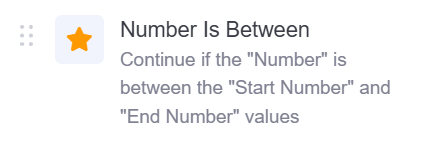
Number Is Between
This operator checks if the given number falls within the specified range defined by two reference numbers. It returns true if the specified number falls within the range or exactly matches the Start Number or End Number; and false otherwise.
Input Fields:
- Default Configuration: This picklist field enables to choose a default configuration. This will automatically populate all fields for that operator with default configuration values wherever available.
- Number: The Number to find out whether it is between the range.
- Start Number: The starting number of the range.
- End Number: The end number of the range.
Output Fields:
- Number: The Number which is compared to reference range.
- Start Number: The lower limit of the range.
- End Number: The upper limit of the range.
Number Is Equal To
This operator checks if the given number is exactly same as the reference number. It returns true if the specified number is equal to the reference number, else returns false.

Input Fields:
- Default Configuration: This picklist field enables to choose a default configuration. This will automatically populate all fields for that operator with default configuration values wherever available.
- Number: This number is compared to the reference number.
- Equal To: This is the reference number to which the value of the above Number field is compared to.
Output Fields:
- Number: The Number which is compared to reference number (Equal To).
- Equal To: The reference number to which the comparison is made.
Number Is Greater Than
This operator checks if the given number is greater than the reference number. It returns true if the specified number is greater than the reference number, else returns false.

Input Fields:
- Default Configuration: This picklist field enables to choose a default configuration. This will automatically populate all fields for that operator with default configuration values wherever available.
- Number: This number is compared to the reference number.
- Greater Than: This is the reference number to which the value of the above Number field is compared to.
Output Fields:
- Number: The Number which is compared to reference number (Greater Than).
- Greater Than: The reference number to which the comparison is made.
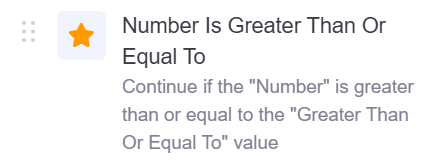
Number Is Greater Than Or Equal To
This operator checks if the given number is same as or greater than the reference number. It returns true if the specified number is same as or greater than the reference number, else returns false.
Input Fields:
- Default Configuration: This picklist field enables to choose a default configuration. This will automatically populate all fields for that operator with default configuration values wherever available.
- Number: This number is compared to the reference number.
- Greater Than or Equal To: This is the reference number to which the value of the above Number field is compared to.
Output Fields:
- Number: The Number which is compared to reference number (Greater Than Or Equal To).
- Greater Than Or Equal To: The reference number to which the comparison is made.
Number Is Less Than
This operator checks if the given number is less than the reference number. It returns true if the specified number is less than the reference number, else returns false.

Input Fields:
- Default Configuration: This picklist field enables to choose a default configuration. This will automatically populate all fields for that operator with default configuration values wherever available.
- Number: This number is compared to the reference number.
- Less Than: This is the reference number to which the value of the above Number field is compared to.
Output Fields:
- Number: The Number which is compared to reference number (Less Than).
- Less Than: The reference number to which the comparison is made.
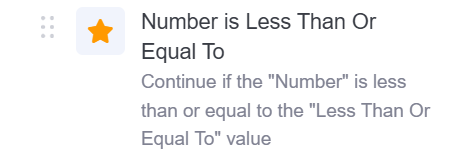
Number Is Less Than Or Equal To
This operator checks if the given number is same as or less than the reference number. It returns true if the specified number is same as or less than the reference number, else returns false.
Input Fields:
- Default Configuration: This picklist field enables to choose a default configuration. This will automatically populate all fields for that operator with default configuration values wherever available.
- Number: This number is compared to the reference number.
- Less Than or Equal To: This is the reference number to which the value of the above Number field is compared to.
Output Fields:
- Number: The Number which is compared to reference number (Less Than Or Equal To).
- Less Than Or Equal To: The reference number to which the comparison is made.
Number Is Not Between
This operator checks if the given number falls outside the specified range defined by two reference numbers. It returns true if the specified number falls outside the range; and false otherwise.
Input Fields:
- Default Configuration: This picklist field enables to choose a default configuration. This will automatically populate all fields for that operator with default configuration values wherever available.
- Number: The Number to find out whether it is outside the range.
- Start Number: The starting number of the range.
- End Number: The end number of the range.
Output Fields:
- Number: The Number which is compared to reference range.
- Start Number: The lower limit of the range.
- End Number: The upper limit of the range.
Number Is Not Equal To
This operator checks if the given number is not same as the reference number. It returns true if the specified number is not equal to the reference number, else returns false.

Input Fields:
- Default Configuration: This picklist field enables to choose a default configuration. This will automatically populate all fields for that operator with default configuration values wherever available.
- Number: This number is compared to the reference number.
- Not Equal To: This is the reference number to which the value of the above Number field is compared to.
Output Fields:
- Number: The Number which is compared to reference number (Not Equal To).
- Not Equal To: The reference number to which the comparison is made.
Text
Conditional Operators allow logical evaluations based on Text, making them useful for automation and validation.
Comparisons on text made by Conditional Operators:
Text Contains
This operator checks if the given text is included in the reference text. It returns true if the specified text is included in the reference text, else returns false.

Input Fields:
- Default Configuration: This picklist field enables to choose a default configuration. This will automatically populate all fields for that operator with default configuration values wherever available.
- Text: This text is searched within the reference text.
- Text Contains: This is the reference text within which the value of the above mentioned Text fied is searched within.
Output Fields:
- Text: The Text that was searched in the "Text Contains".
- Text Contains: The reference text in which the search was made.
Text Does Not Contain
This operator checks if the given text is not included in the reference text. It returns true if the specified text is not included in the reference text, else returns false.

Input Fields:
- Default Configuration: This picklist field enables to choose a default configuration. This will automatically populate all fields for that operator with default configuration values wherever available.
- Text: This text is searched within the reference text.
- Does Not Contain: This is the reference text within which the value of the above mentioned Text fied is searched within.
Output Fields:
- Text: The Text that was searched in the "Text Does Not Contain".
- Does Not Contains: The reference text in which the search was made.
Text Does Not End With
This operator checks if the reference text does not end with the specified text.If the reference text does not end with the specified text, it returns true, else false.

Input Fields:
- Default Configuration: This picklist field enables to choose a default configuration. This will automatically populate all fields for that operator with default configuration values wherever available.
- Text: This text is searched within the reference text.
- Does Not End With: This is the reference text within which the value of the above mentioned Text fied is searched within.
Output Fields:
- Text: The Text that was searched in the "Does Not End With".
- Does Not End With: The reference text in which the search was made.
Text Does Not Start With:
This operator checks if the reference text does not start with the specified text.If the reference text does not start with the specified text, it returns true, else false.

Input Fields:
- Default Configuration: This picklist field enables to choose a default configuration. This will automatically populate all fields for that operator with default configuration values wherever available.
- Text: This text is searched within the reference text.
- Does Not Starts With: This is the reference text within which the value of the above mentioned Text fied is searched within.
Output Fields:
- Text: The Text that was searched in the "Does Not Start With".
- Does Not Start With: The reference text in which the search was made.
Text Ends With
This operator checks if the reference texts ends with the specified text. It returns true if the reference texts ends with the specified text, else false.

Input Fields:
- Default Configuration: This picklist field enables to choose a default configuration. This will automatically populate all fields for that operator with default configuration values wherever available.
- Text: This text is searched within the reference text.
- Ends With: This is the reference text within which the value of the above mentioned Text fied is searched within.
Output Fields:
- Text: The Text that was searched in the "Ends With".
- Ends With: The reference text in which the search was made.
Text Is Exactly
This operator checks if the specified text is same as the reference text. It returns true if the specified text is same as the reference text, else returns false.

Input Fields:
- Default Configuration: This picklist field enables to choose a default configuration. This will automatically populate all fields for that operator with default configuration values wherever available.
- Text: The text to search "Text Is Exactly" in.
- Text Is Exactly: The text to search in "Text". If the "Text" is same as "Text Is Exactly", it returns true and proceeds.
Output Fields:
- Text: The Text that was searched in the "Text Is Exactly".
- Text Is Exactly: The reference text in which the search was made.
Text Starts With
This operator checks if the reference texts starts with the specified text. It returns true if the reference texts starts with the specified text, else false.

Input Fields:
- Default Configuration: This picklist field enables to choose a default configuration. This will automatically populate all fields for that operator with default configuration values wherever available.
- Text: This text is searched within the reference text.
- Starts With: This is the reference text within which the value of the above mentioned Text fied is searched within.
Output Fields:
- Text: The Text that was searched in the "Starts With".
- Starts With: The reference text in which the search was made.
Value
Conditional Operators allow logical evaluations based on whether there is a vaule in field or not, making them useful for automation and validation.
Comparisons on text made by Conditional Operators:
Value Is Empty
This operator checks if the "Value" field is empty. It returns true if the Value field is empty, else returns false.

Input Fields:
- Default Configuration: This picklist field enables to choose a default configuration. This will automatically populate all fields for that operator with default configuration values wherever available.
- Value: The field to check whether it is empty. If this field is empty, it returns true and proceeds.
Output Fields:
- Value: The field that was to be checked for being empty.
Value Is Not Empty
This operator checks if the "Value" field is not empty. It returns true if the Value field is not empty, else returns false.

Input Fields:
- Default Configuration: This picklist field enables to choose a default configuration. This will automatically populate all fields for that operator with default configuration values wherever available.
- Value: The field to check whether it is not empty. If this field is not empty, it returns true and proceeds.
Output Fields:
- Value: The field that was to be checked for being empty.
Conditional Operator Examples
For examples of Conditional Operators: Conditional Operator Examples.